${{amount}}

  • DIY Notebook Kit with Transfer Stickers
  • DIY Notebook Kit with Transfer Stickers
  • DIY Notebook Kit with Transfer Stickers

DIY Notebook Kit with Transfer Stickers

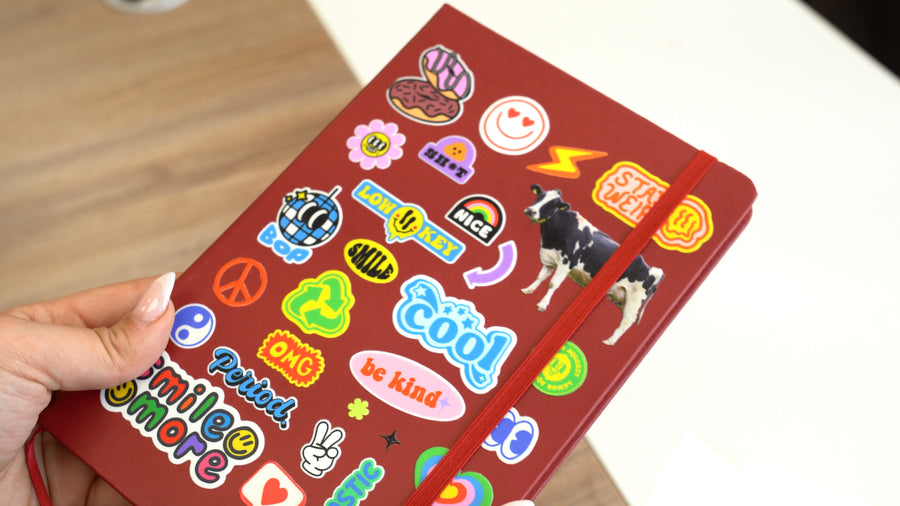
There's something about a personalized journal that just feels different. When it looks like you, you actually use it. With the 613 Originals DIY Notebook Kit, you can take a sleek, high-quality hardcover journal and make it completely your own — in minutes, with zero equipment.

The kit includes two sticker transfer sheets: 

  • Express Yourself Sticker Sheet — A maximalist mix of fun, bold sticker-style graphics that say exactly what you feel, because why blend in when your stuff can speak for itself?
  • Fun Alphabet & Little Faces — A playful mix of expressive lettering and little face doodles

Regular price $24.99
Theme
Added to Cart! View cart or continue shopping.
Good to know

Product Details

The Journal You'll Actually Want to Carry Everywhere

There's something about a personalized journal that just feels different. When it looks like you, you actually use it. With the Six Thirteen Originals DIY Notebook Kit, you can take a sleek, high-quality hardcover journal and make it completely your own — in minutes, with zero equipment.

Inside the Box

Each kit comes with an A5 Hardcover Lined Notebook (PU leather cover, 5.5" x 8.3" — the perfect everyday carry size) and 2 pre-designed UV DTF Sheets ready to apply straight out of the box.

You don't need a special printer or heavy-duty equipment, and you don't need to watch 47 YouTube tutorials. With the DIY Notebook Kit, you can go from unboxing to showing off your design in minutes - no experience needed, no stress. Everything is all in one box ready for you to create.

Application Instructions
Zero Equipment Needed!
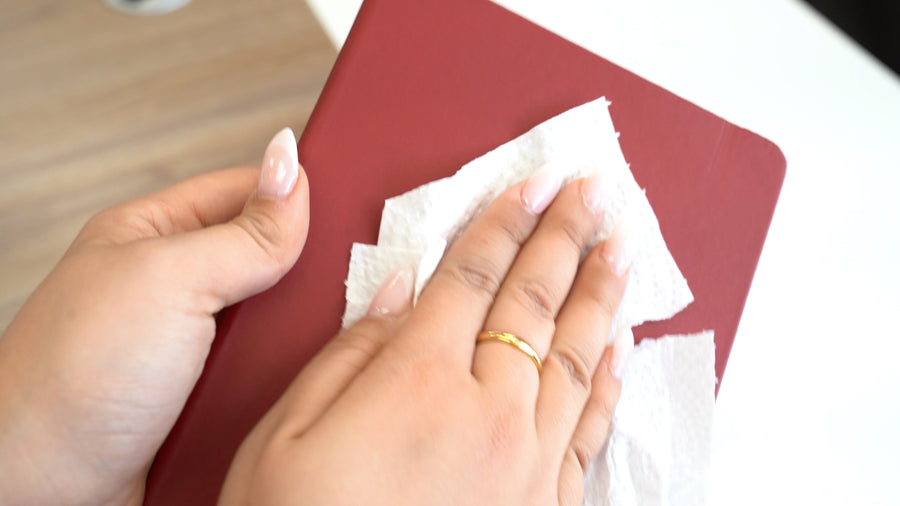
  1. Clean — Wipe down your notebook to get rid of any dust or residue
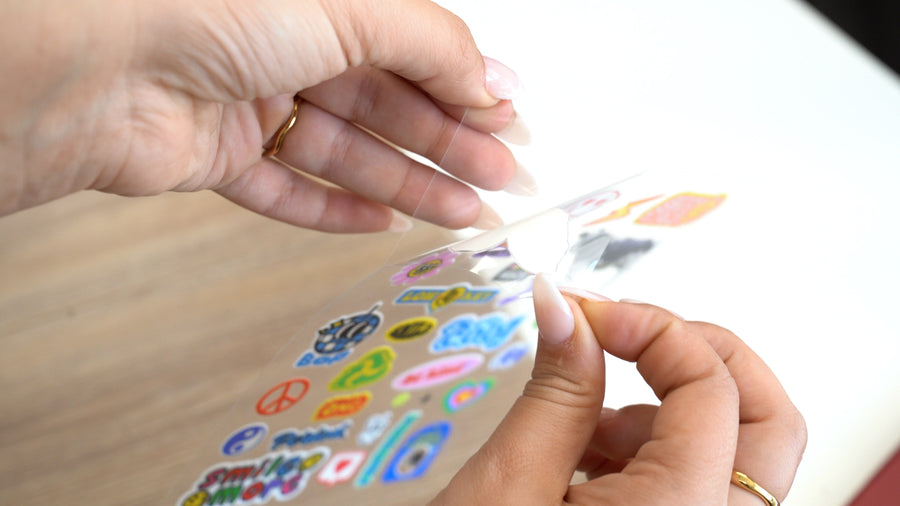
  2. Peel #1 — Peel the protective backing
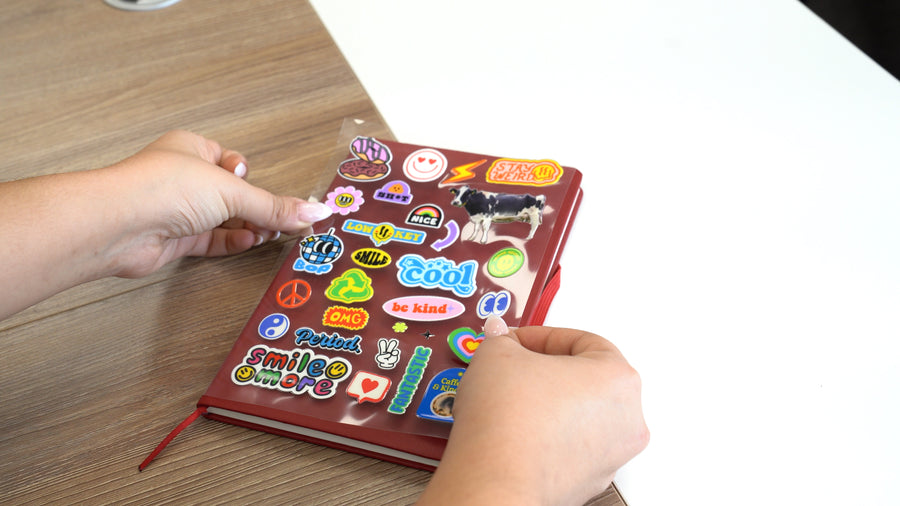
  3. Position — Place your UV DTF Sheet over your notebook
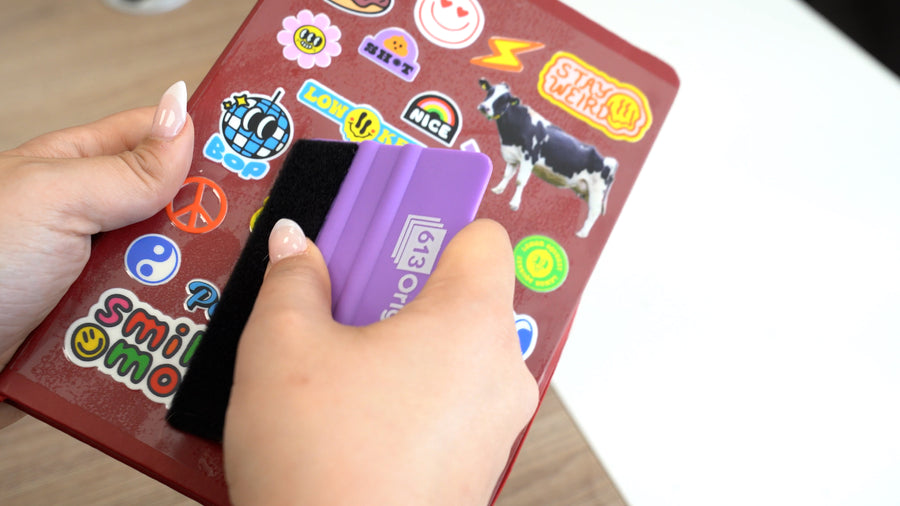
  4. Press — Use the included squeegee to smooth it out
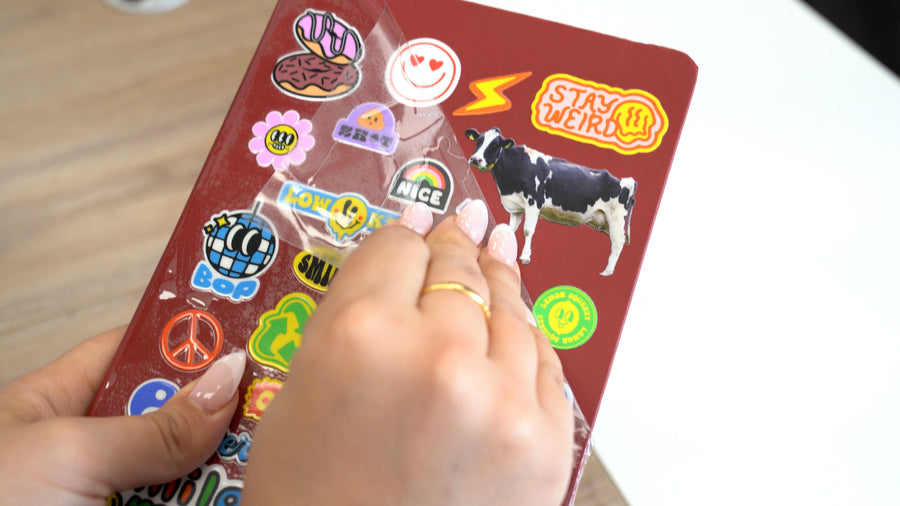
  5. Peel — Pull back the film and reveal your design
Shipping & Turnaround Time

Kits will ship next business day from NJ.

Wash & Care

Wipe with dry cloth only — keep your design looking fresh longer. Avoid detergents, water, or excessive sun exposure to keep your item looking its best.

from the community

Real prints, real people

HOW TO USE

Step by Step Instructions

6 easy steps - no experience or equipment needed!

Step 1: Prepare the surface
Wipe down your notebook to get rid of any dust or residue.
Step 2: Peel protective backing
Gently peel the two sheets apart, making sure that thee whole design lifts off onto the top carrier sheet.
Step 3: Position and place
Decide on the position, and then carefully place the design where you want it.
Step 4: Press and smooth
After placing the design, firmly squeegee the design 2-4 times.Use can also use your hands to press.
Step 5: Peel slowly
Step 5: Peel slowly
Starting at a corner, slowly peel away the top carrier film. If the design is not fully adhered, press the carrier sheet back down and squeegee a few more times.
Step 6: Show off your custom piece
Admire your personalized item!
frequently asked questions

Details & FAQ

What does "UV DTF" mean?

UV DTF stands for Ultra Violet Direct to Film, a digital printing method used to create highly durable, full-color, and slightly raised transfers (or "stickers") that can be permanently applied to curved, uneven, or oddly shaped hard surfaces. The transfer adheres without heat, making it easy and beginner-friendly.

Can I use the transfer sheets on items other than the blank included in the kit?

Yes! The UV DTF transfer sheets can be applied to most smooth, hard surfaces such as phone cases, tumblers, mugs, water bottles, and more. They are not recommended for fabric or textured surfaces.

Can I reposition the transfer if I place it in the wrong spot?

UV DTF transfers adhere quickly, so repositioning is not recommended once the transfer makes contact with the surface. Take a moment to plan your placement before applying.

I have a question that isn't answered here. How do I reach support?

You can reach out to our support team in 3 ways:

really make it your own

Order Custom 3D Stickers

Any design you want - ships next day

Order now